
Every tool, counted.
What VLPremiere Pro does today, area by area, and which plan each tool comes in. The 3-day trial unlocks all of it.
- 18editing tools on the timeline
- 84 + 3video and audio transitions
- 142 + 46video and audio effects
- 4export codecs, H.264 to DNxHR
- 5interchange formats: XML, FCPXML, EDL, AAF, .prproj
- arm64native Apple silicon build
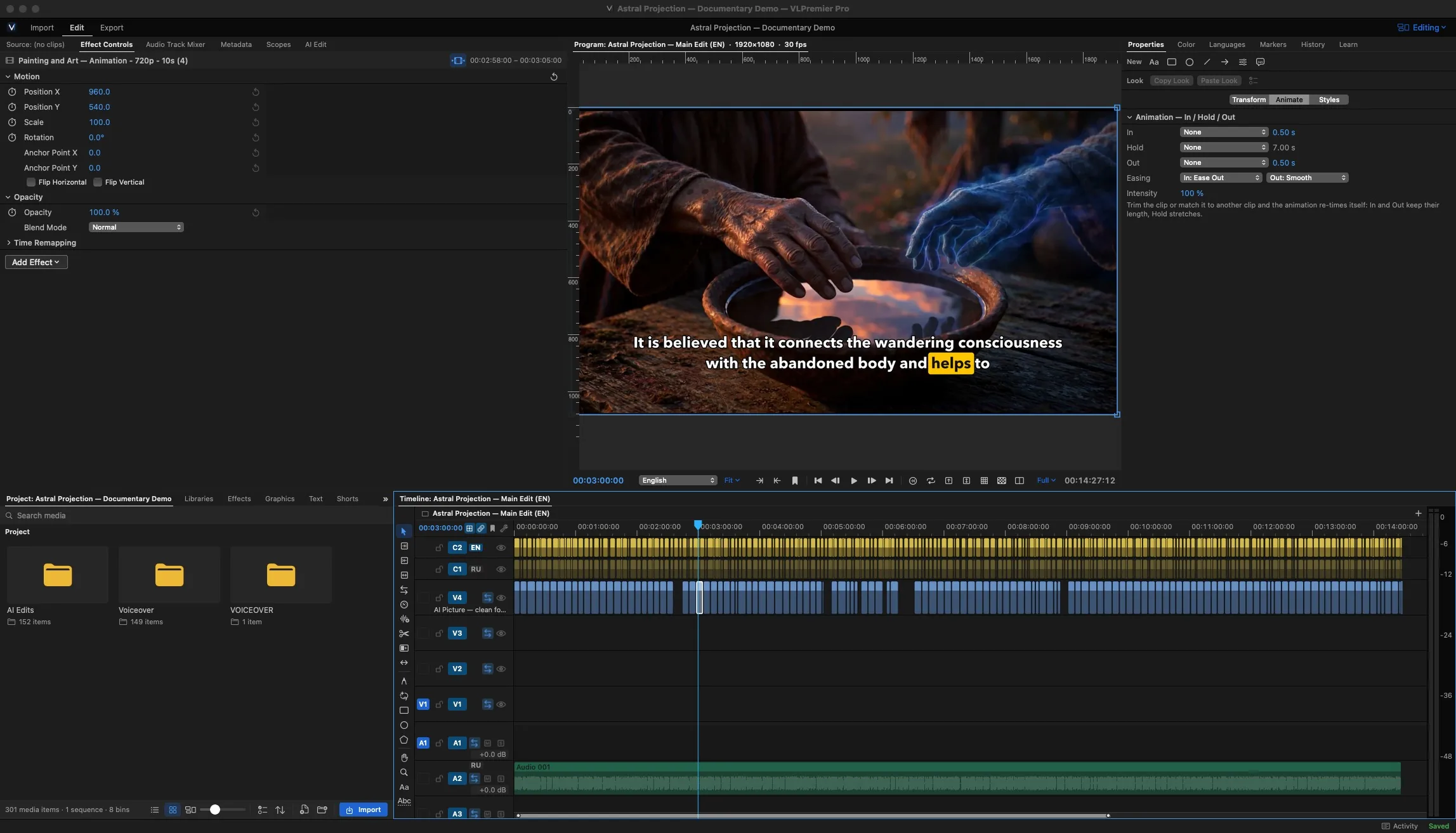
Timeline and cutting
Ripple a gap shut, roll an edit point, slip a take inside its clip, razor where the line ends. J-cuts and L-cuts are a drag, not a workaround.
- CreatorMultitrack timeline with 18 editing toolsSelect, ripple, roll, slip, slide, razor, rate and more
- CreatorCore transitions: 11 video and 3 audioCross Dissolve, Dips, Wipe, Push and Slide
- ProMorph transitionSmooths a jump cut in a talking-head take
- ProMulticam editingSync angles, switch as it plays, refine after
- CreatorStabilizerSmooths shaky handheld and drone clips
- ProMasks, tracking and blur faces
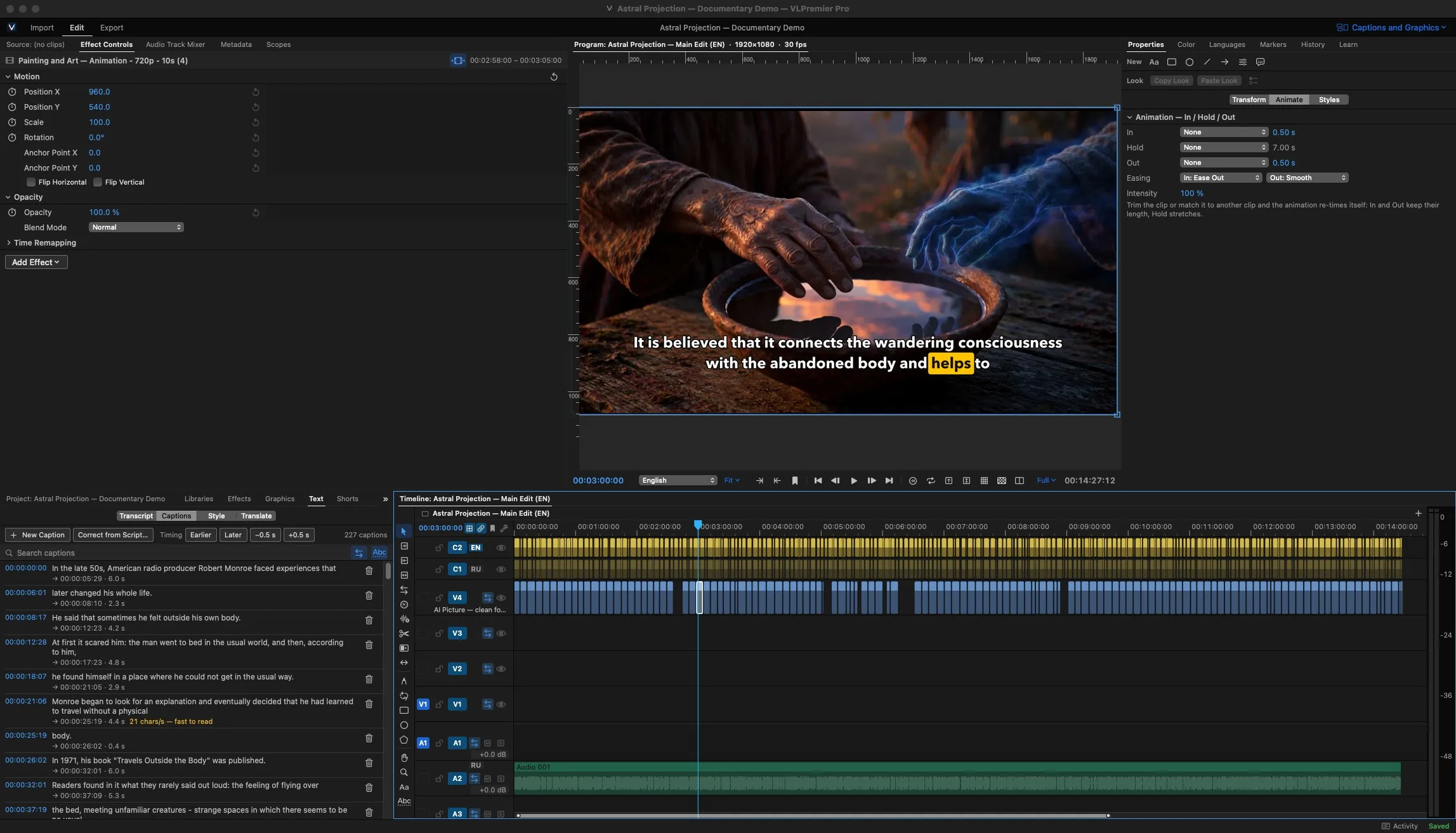
Captions and transcripts
Get a transcript, correct it like a document, then pick how the words sit on screen. The same lines export as SRT or VTT for the upload page.
- CreatorCaptions and transcriptsEdit the text, the timing follows
- CreatorSRT and VTT import and export
- ProAnimated caption looksWord highlight, boxes and position, per project
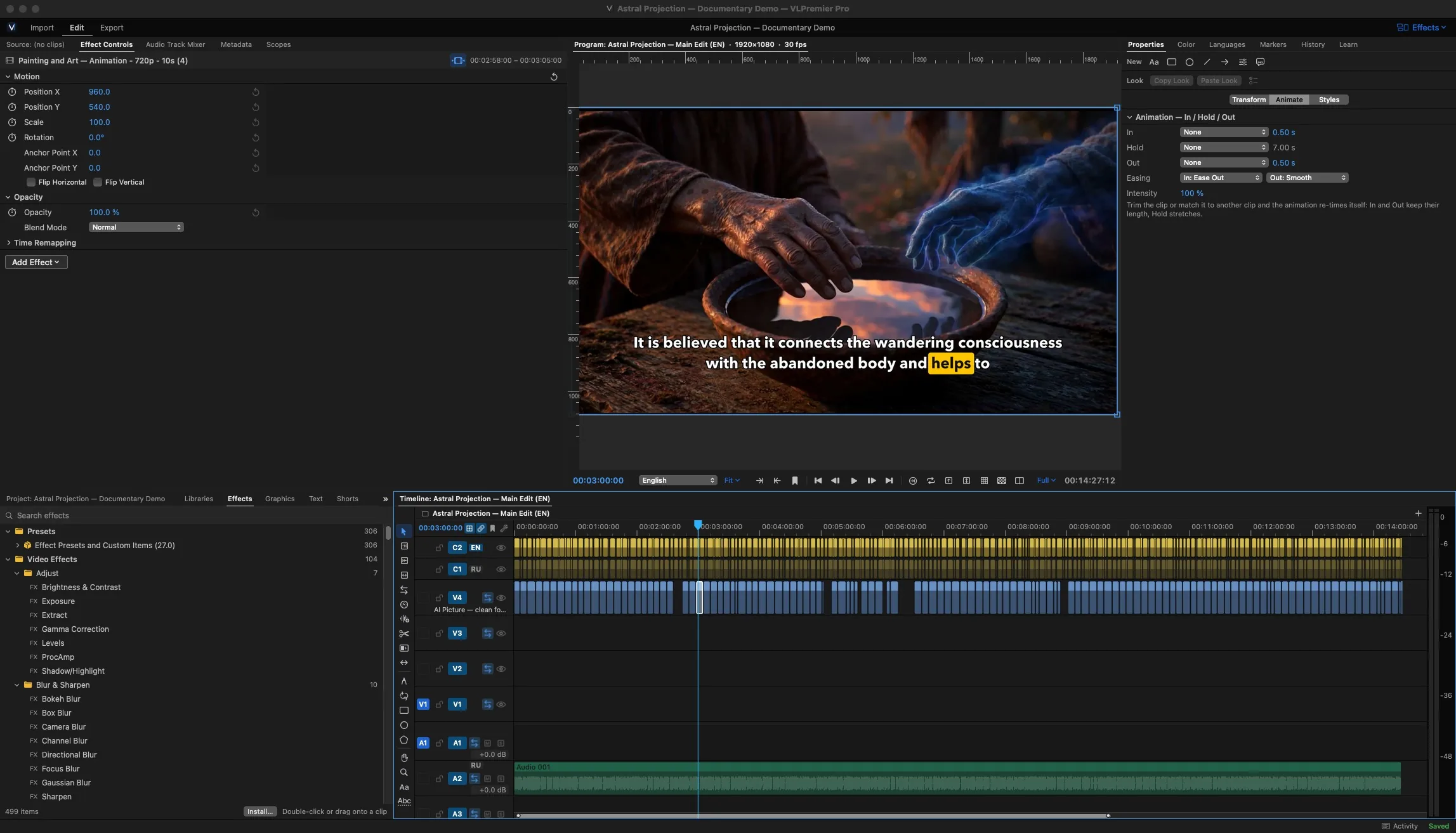
Effects, titles and motion
Browse the effect library, drop an effect on a clip and keyframe it in Effect Controls. Text Studio sets the titles; Motion Studio animates them, or anything else.
Learn itTitles and lower thirds07:05- CreatorCore video and audio effects41 video and 25 audio effects, Lumetri Color and LUTs
- ProFull library: 142 video and 46 audio effectsVLFilm looks and all 84 video transitions
- CreatorText Studio and title templatesTitles, lower thirds and end cards
- ProMotion StudioKeyframed motion graphics, with templates
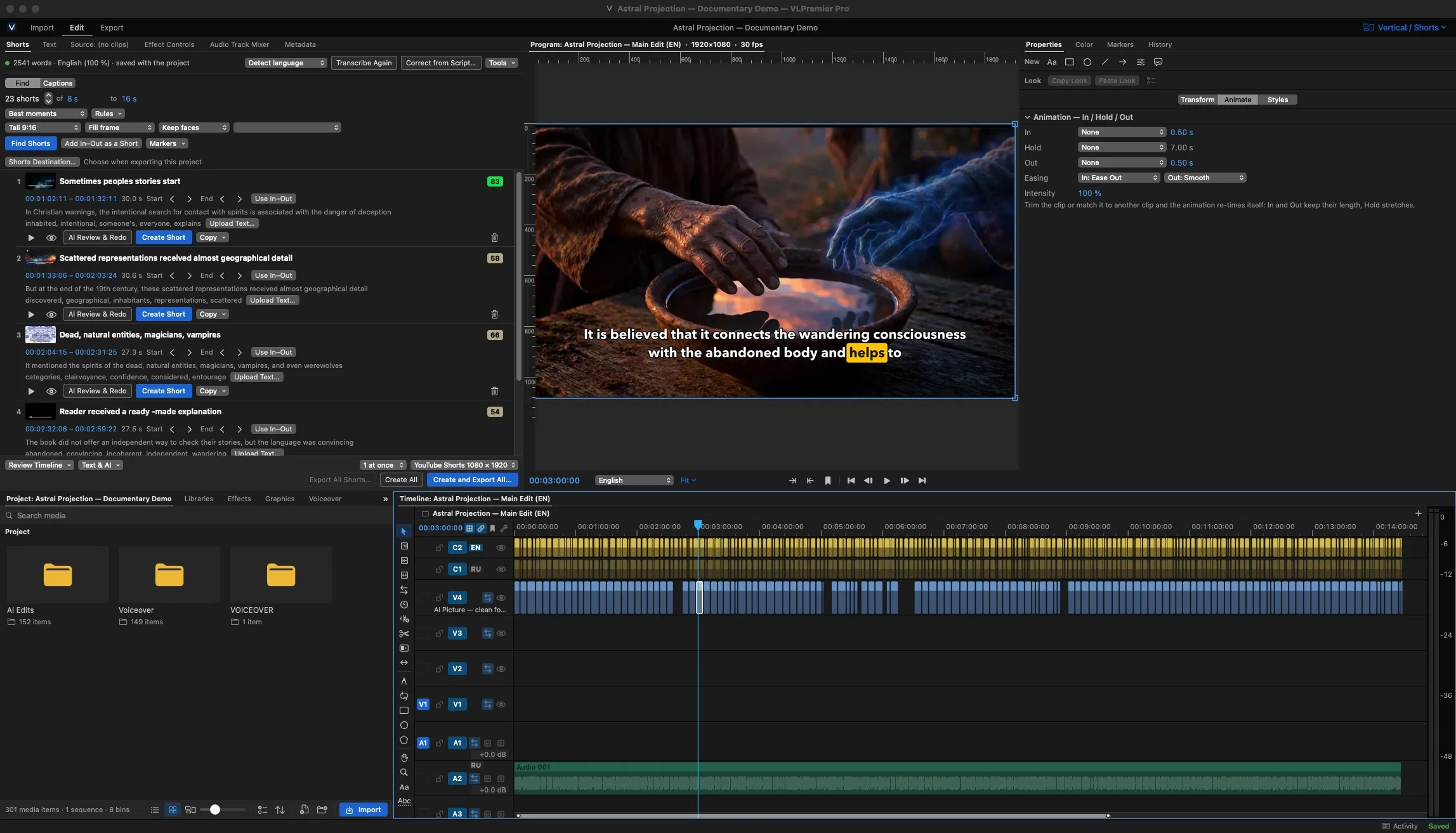
Shorts from the long edit
Highlight finder scores moments worth cutting. Auto reframe keeps the subject inside a 9:16 frame, and safe zones show where the platform's buttons will sit.
- CreatorHighlight finder
- CreatorAuto reframe to vertical
- CreatorSafe zones
- ProBatch processingReframe and export a whole set at once
Color and sound, finished in place
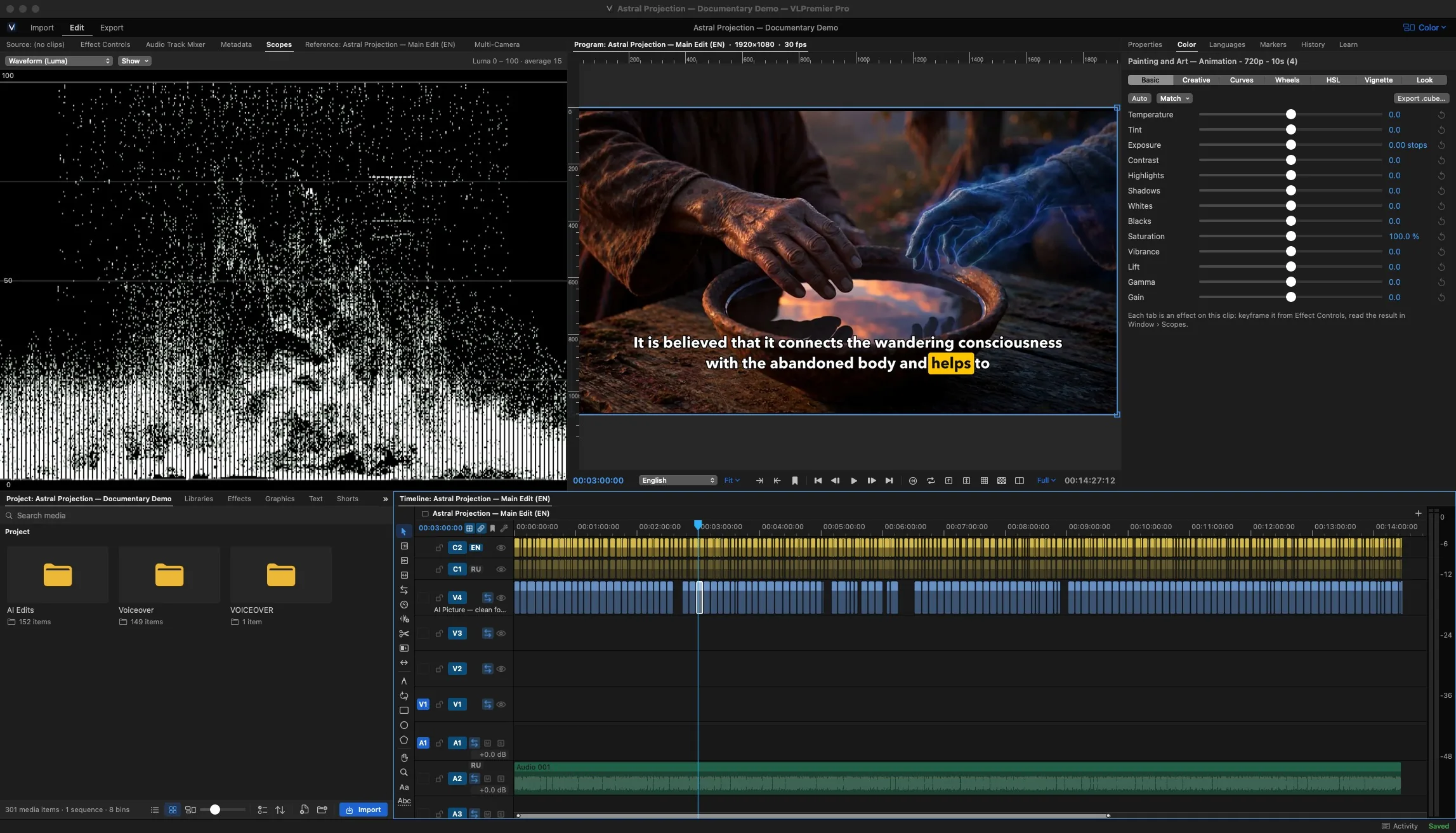
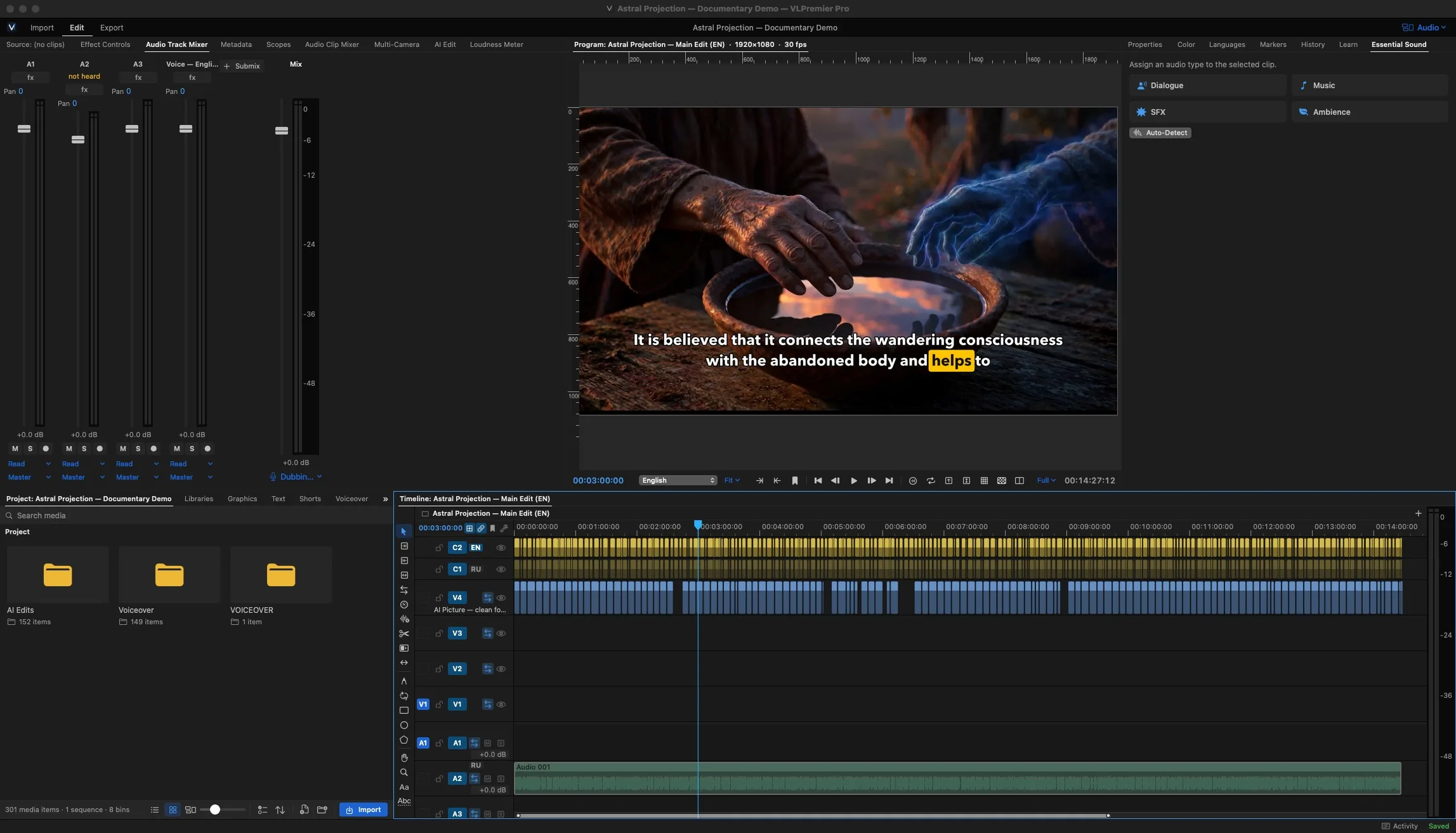
Grade against a fixed frame on real scopes, then mix against a loudness target so the upload doesn't land quiet.
Learn itMix to -14 LUFS08:05- CreatorColor wheels, curves and LUTs
- ProHDR and scopes
- CreatorAudio mixing and loudness
- ProVST3 and Audio Unit plug-ins
Export and interchange
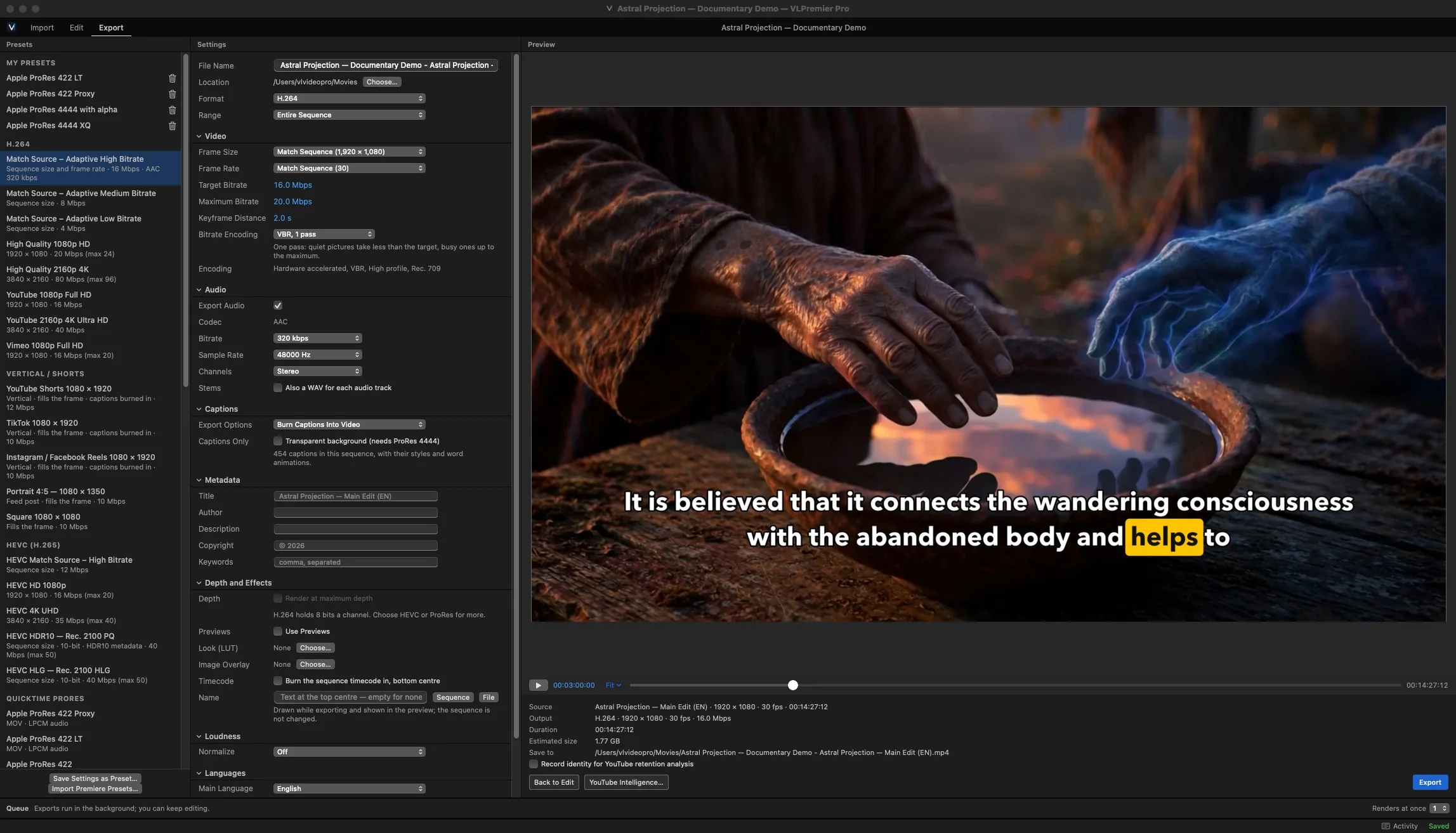
Queue the YouTube file, the archive master and the Shorts, then keep cutting. Moving a project to another app or a colourist goes out as XML, EDL or AAF.
- CreatorH.264 and HEVC export
- ProProRes and DNxHR
- ProBackground render queue
- ProExport to XML, EDL, AAF and Premiere Pro
- ProYouTube prepChapters, upload text and retention analysis. You upload the video yourself.
Voiceover Studio and on-device AI
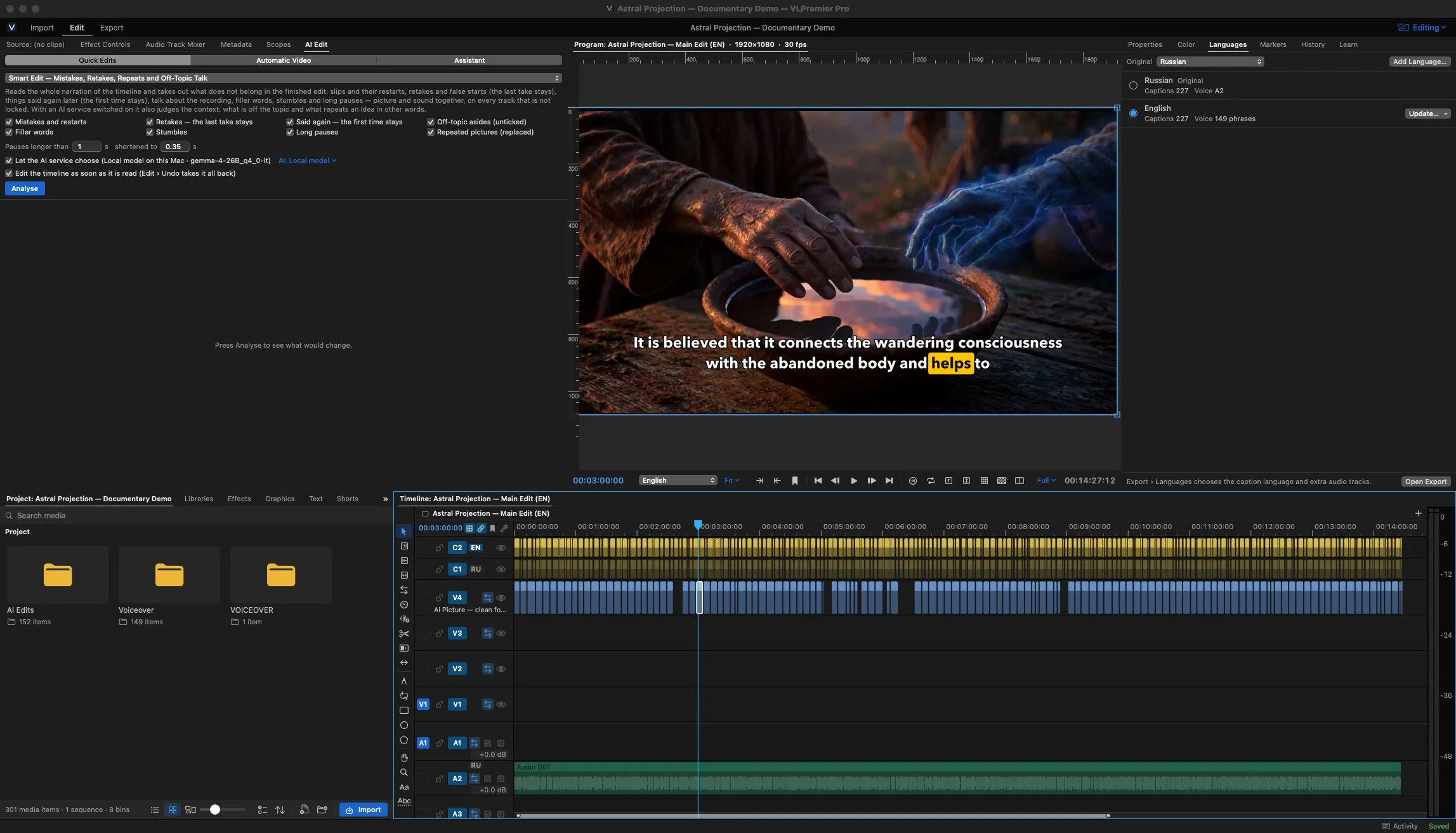
Write or paste the script, record the narration and lay it on the timeline. AI Edit runs on your Mac with a model you download once, so there are no cloud usage fees.
- ProVoiceover StudioComponents download on demand the first time you open it
- ProOn-device AI and AI EditRuns locally, model downloaded by you
Straight answer: AI results vary with your footage and audio. Treat them as a first pass you review, not a finished edit.
Learn itRecord narration in Voiceover Studio07:20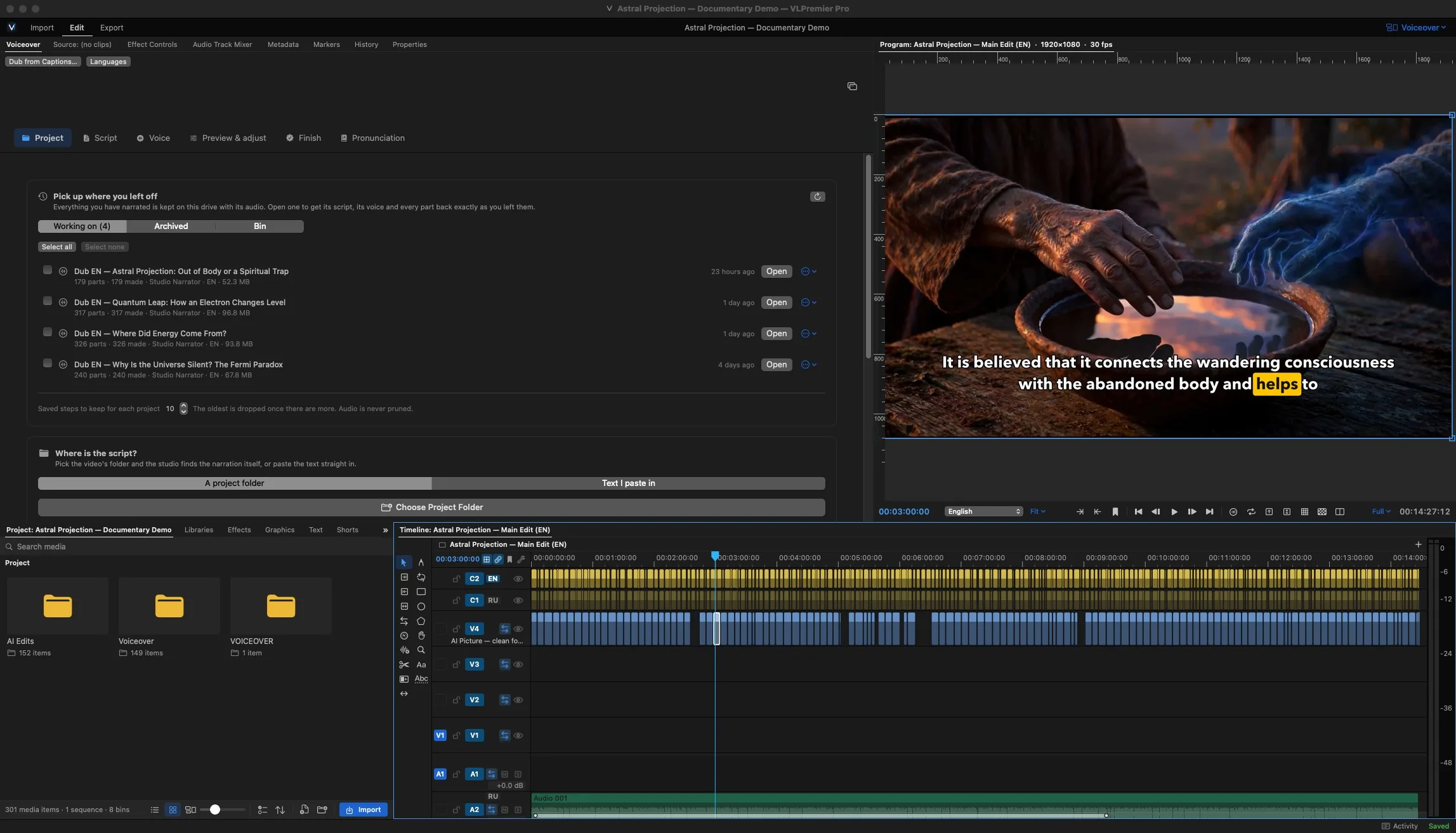
Try every tool on your own footage.
3 days with every Pro feature, no credit card. The trial is the same app you keep when you subscribe.
Your projects stay yours. If a subscription ends, your files open and nothing is deleted.