
Cut tight.Caption clean.Ship tonight.
A native Mac editor for YouTube, Shorts and long-form docs. Timeline, captions, color and AI run on your machine.
Apple silicon · macOS 14+ · runs offline
See VLPremiere Pro in action.
Two and a half minutes in the real app: the timeline, animated captions, color, audio and export.
From raw footage to upload.
Five stops on one timeline. No round-tripping between apps to finish a video.
-
00:00
Import
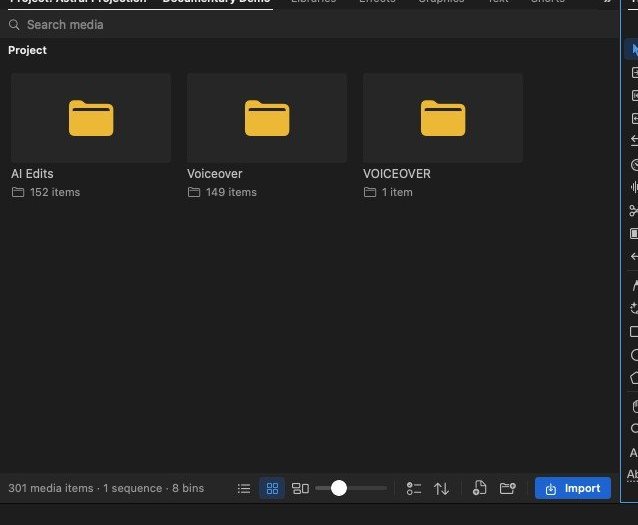
Drag in camera files, phone clips and music. Coming from another editor? Bring the XML, EDL or AAF.
-
00:12
Cut
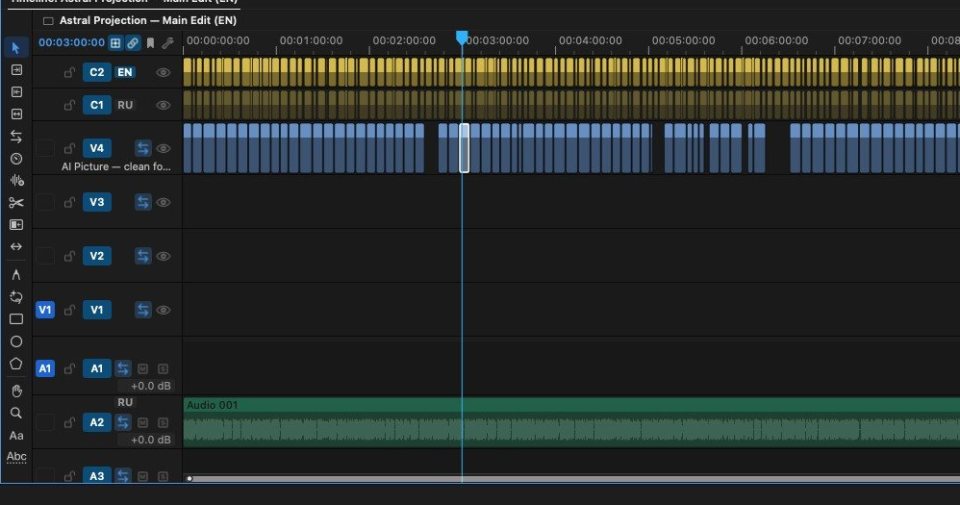
18 timeline tools for ripple, roll, slip and razor work. J-cuts and L-cuts without a fight.
-
00:31
Caption
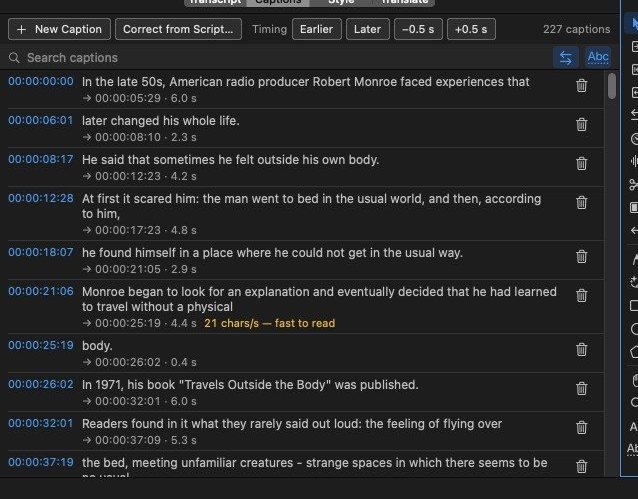
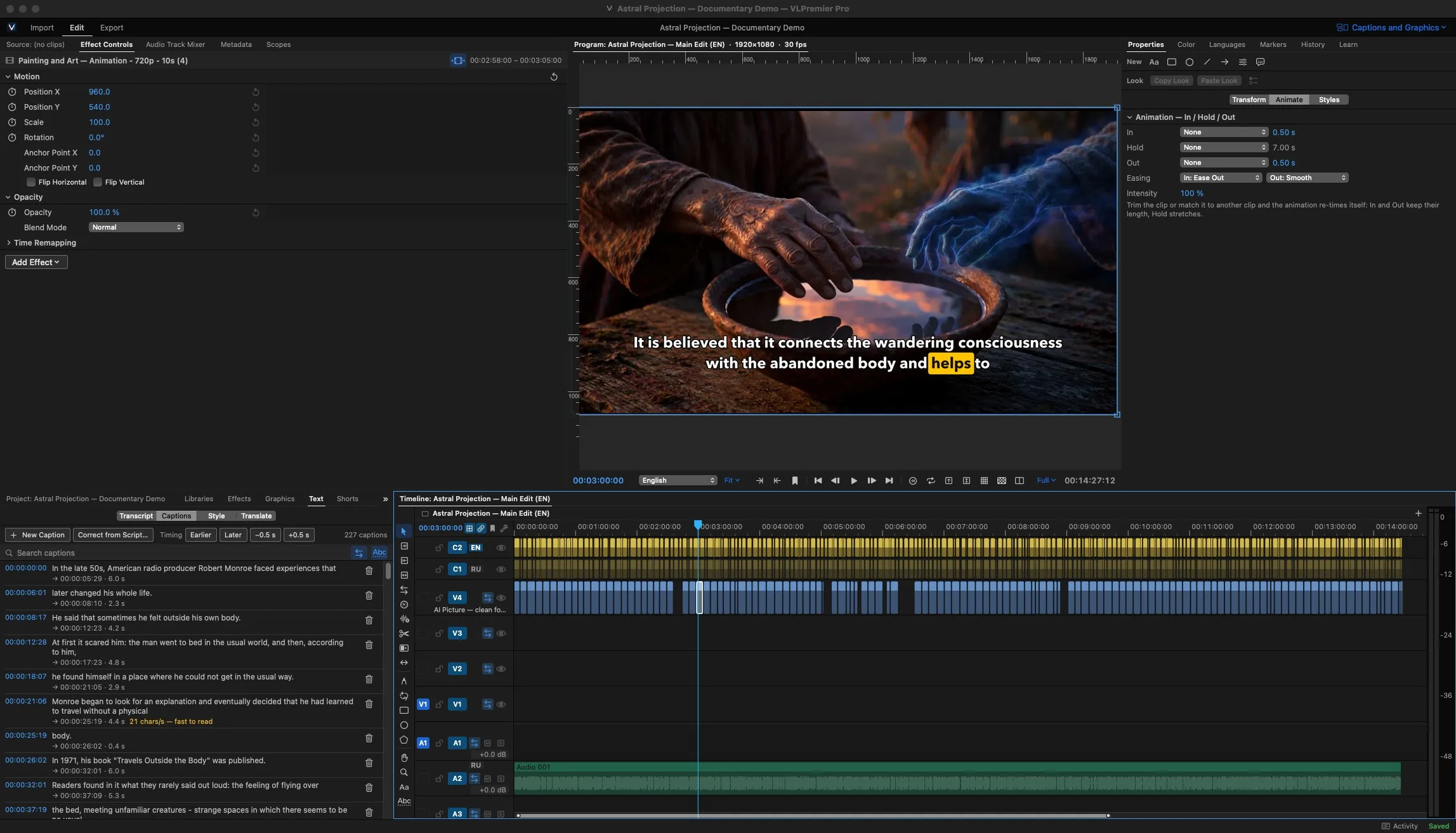
Get a transcript, fix the words, pick a look. Export SRT or VTT for the upload page.
-
00:48
Grade & mix
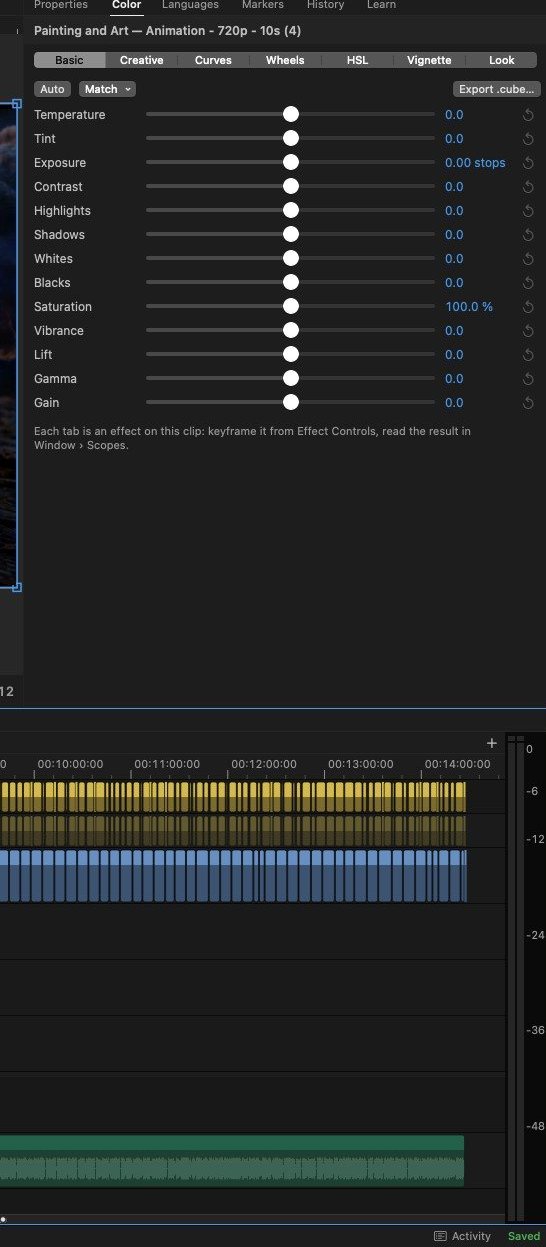
Wheels, curves, LUTs and scopes. Mix to a loudness target before anything leaves the Mac.
-
01:05
Export & Shorts
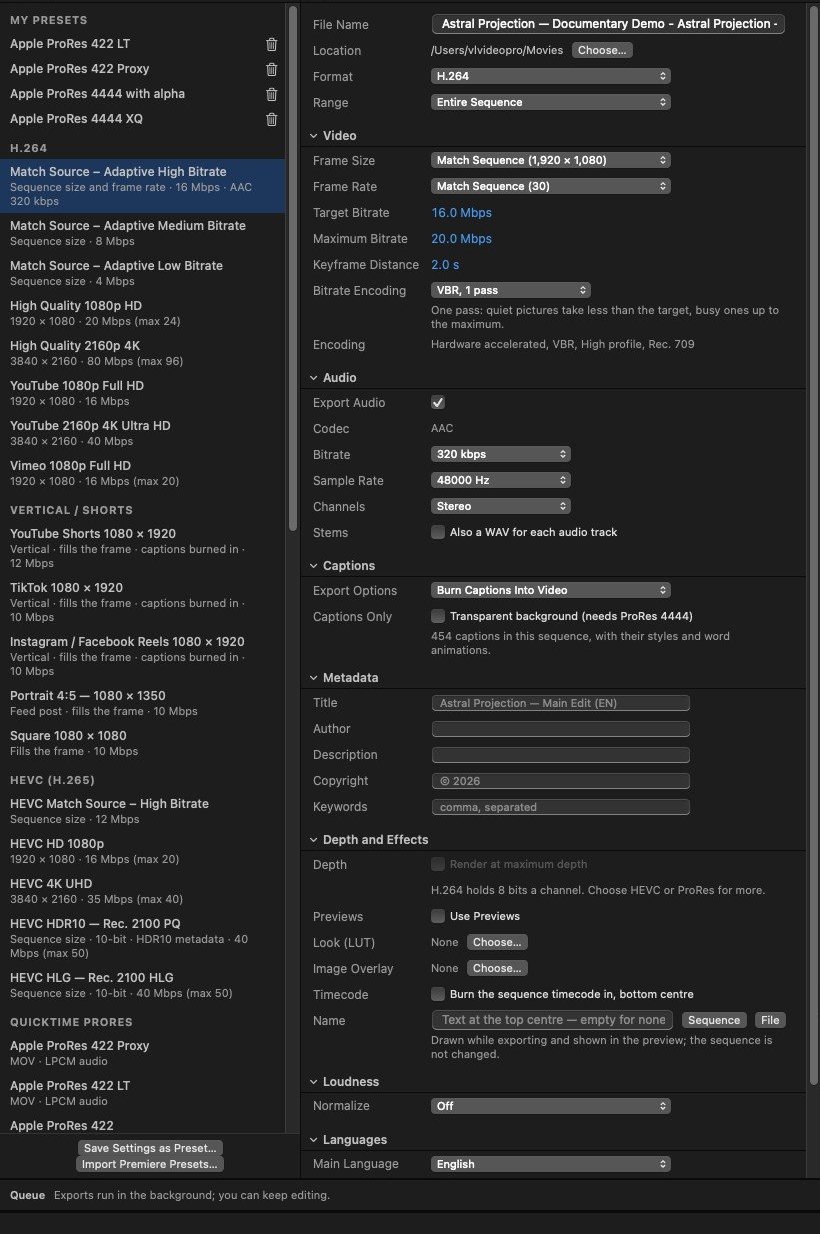
H.264, HEVC, ProRes or DNxHR in a background queue. Vertical Shorts come from the same edit.


The tools, up close.
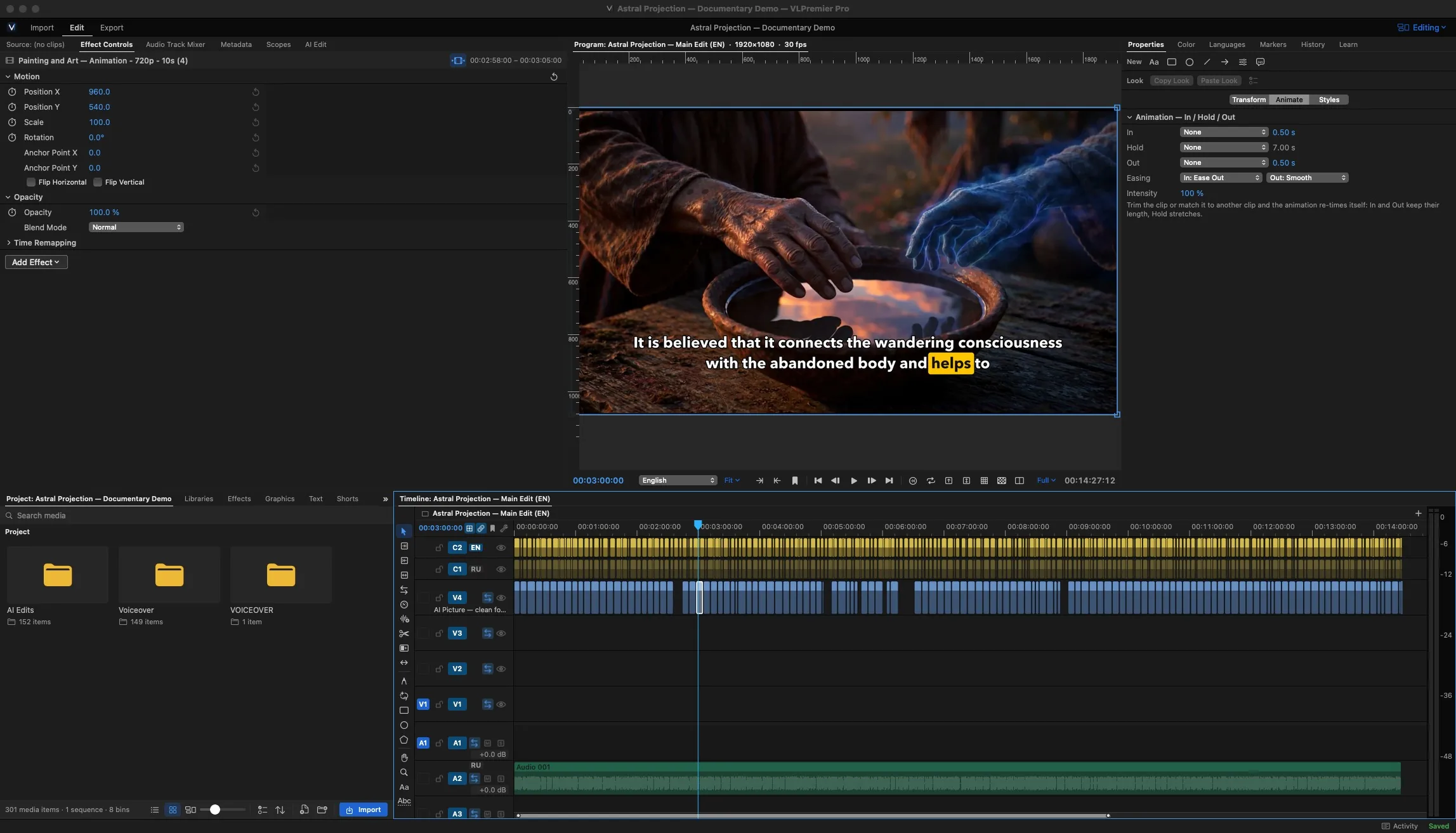
18editing tools on the timeline
Timeline & cutting
Ripple a gap shut, roll an edit point, slip a take inside its clip. A morph transition smooths a jump cut in a talking-head take, and multicam switches angles as it plays.
- 84 + 3video and audio transitions
- Morphhide the jump in an interview edit
- Multicamsync angles, switch live, refine after
Captions, titles and motion graphics
Get a transcript, correct it like a document, then pick an animated look. Text Studio sets the titles. Motion Studio builds the moving graphics around them.
- SRT / VTTcaption import and export
- Text Studiotitles and title templates
- Motionmotion graphics and templates
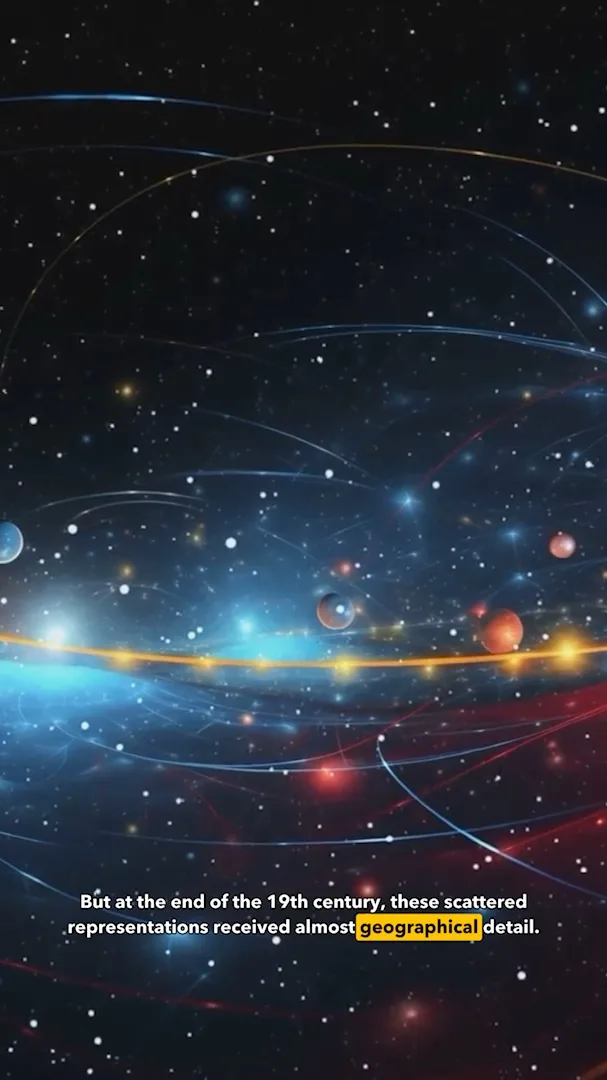
Shorts from the long edit
Highlight finder suggests moments worth cutting. Auto reframe keeps the subject inside a 9:16 frame, and safe zones show where the platform's buttons will sit. Batch a whole set at once.
00:42pick
03:15pick
07:58skip

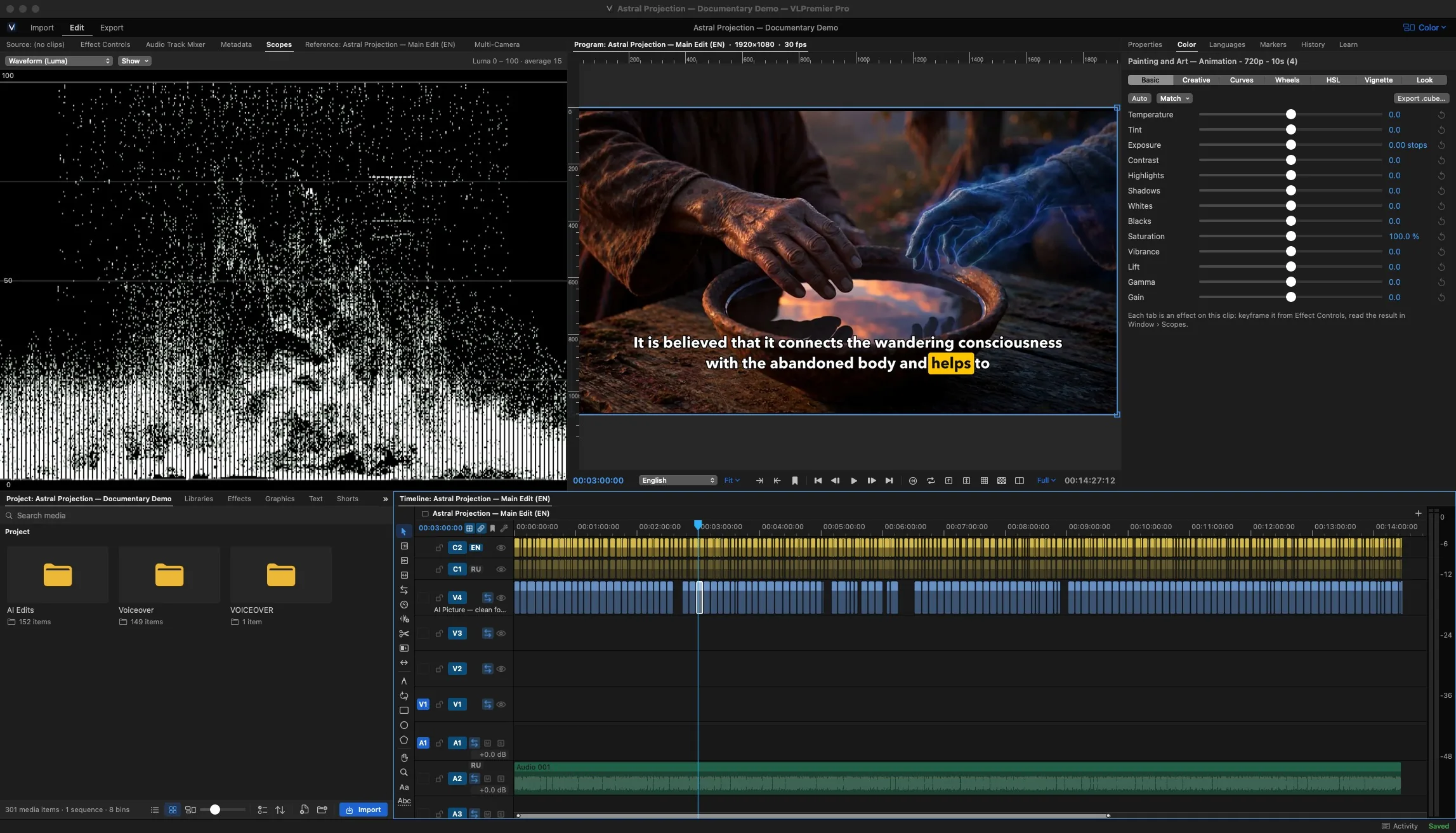
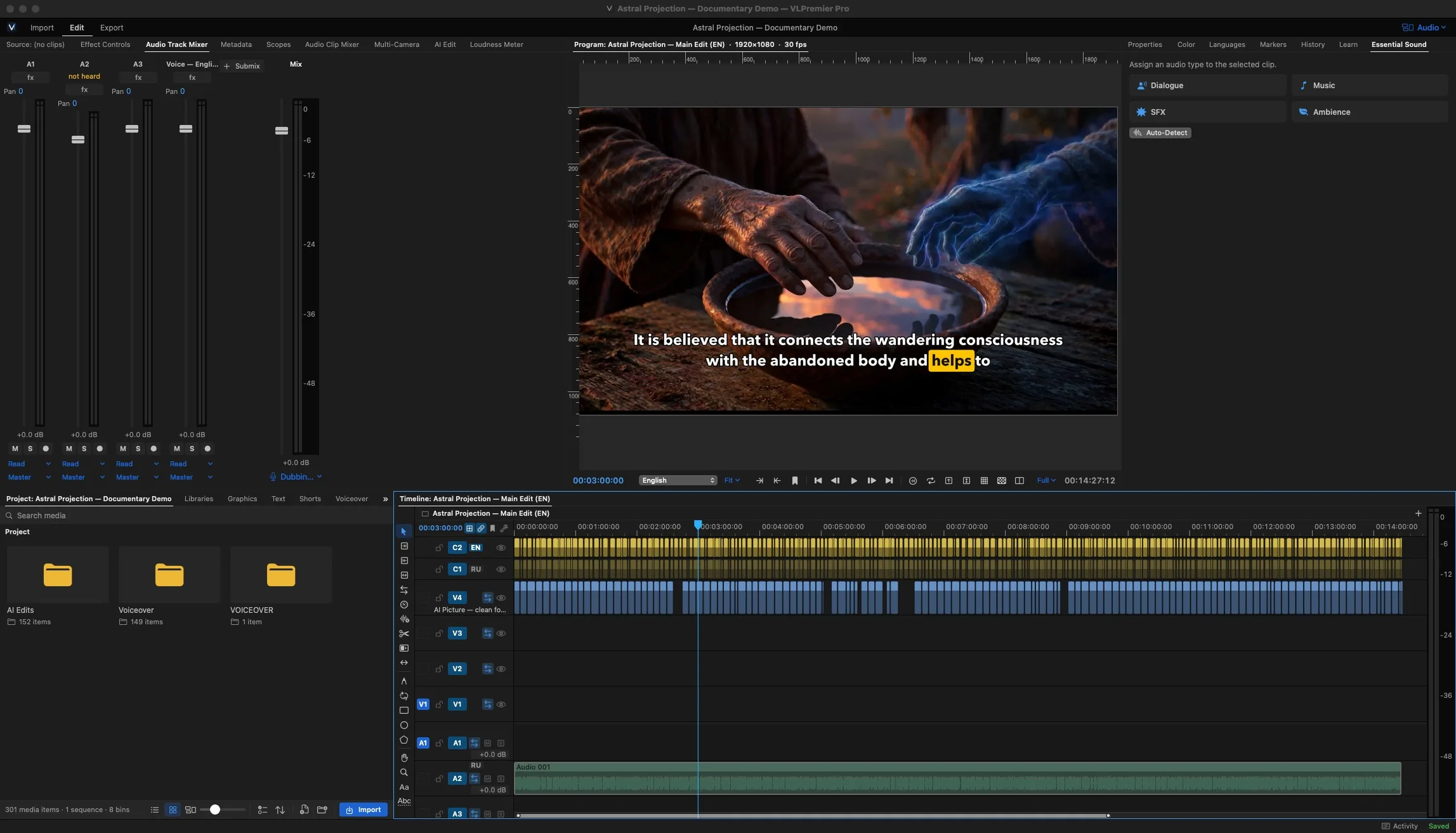
Color and sound, finished in place
Wheels, curves, LUTs and HDR, read on real scopes. Then mix against a loudness target so the upload doesn't land quiet.
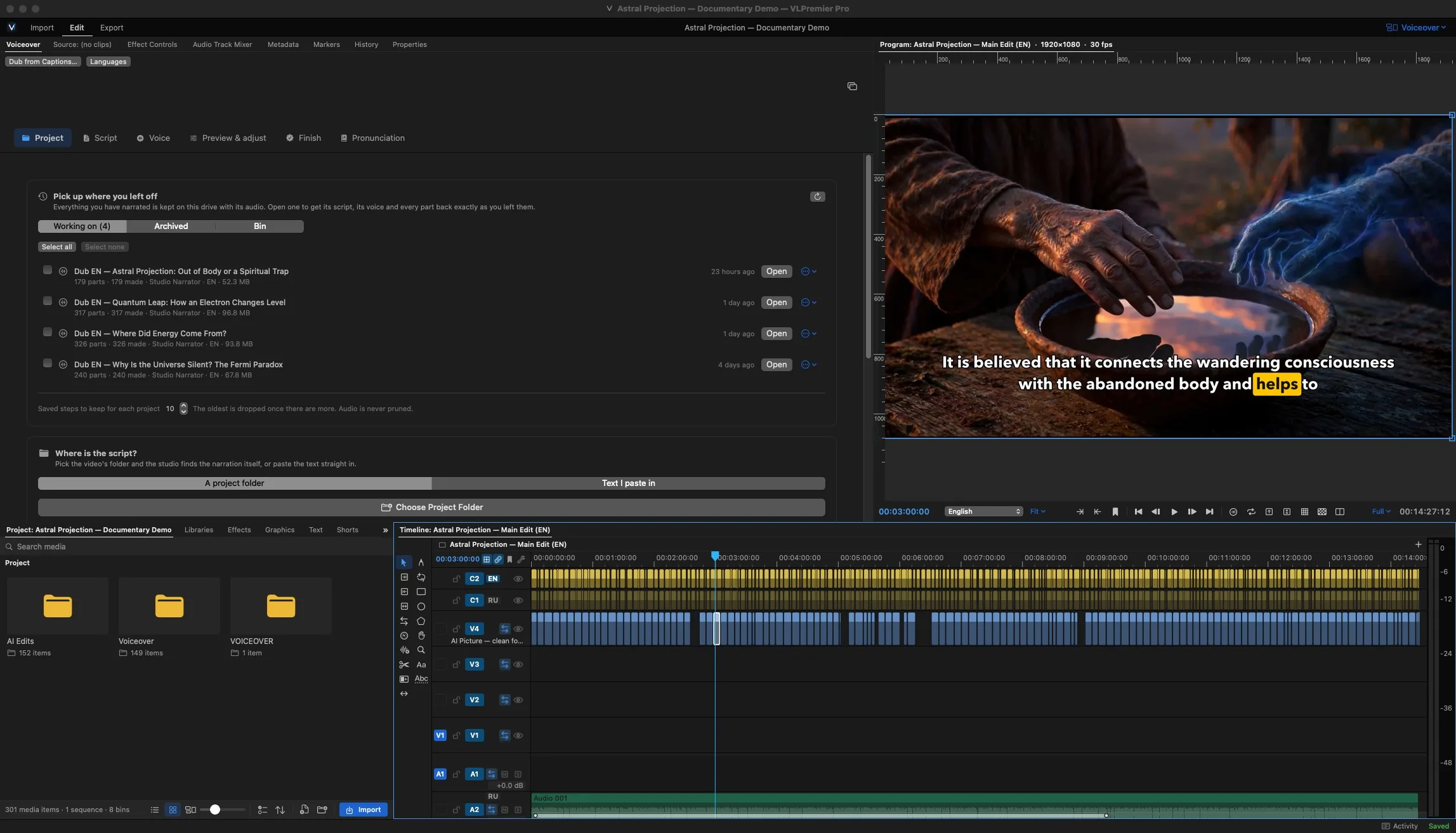
Voiceover Studio, and AI that stays on your Mac
Record narration against picture, clean it up and lay it on the timeline. AI Edit and the on-device tools run with a model you download once. No per-minute cloud fees.
Straight answer: AI results vary with your footage and audio, so treat them as a first pass you review. Voiceover components download on demand the first time you open the studio.
Two plans. One app.
Every trial is the full Pro app for 3 days, no credit card. Pick a plan when it ends.
Compare every featureCreator
For individual video creators using standard professional editing tools.
$14.99/ month
or $119 / year
- Timeline, 18 tools, core effects
- Captions, SRT / VTT, Text Studio
- Shorts: highlights, reframe, safe zones
- H.264 and HEVC export · 1 Mac
ProRecommended
For serious creators using the full advanced editing, voiceover, automation and production toolset.
$19.99/ month, first year
or $149 for the first year
Renews at $24.99/mo or $199/yr
- Everything in Creator, on 2 Macs
- Motion Studio, Morph transition, multicam
- ProRes, DNxHR, XML / EDL / AAF
- Voiceover Studio and on-device AI
Learn it in an afternoon.
Short, chaptered lessons recorded in the current build. All tutorials


Questions before you install.
Something else? Ask support
Which Macs does it run on?
Macs with Apple silicon running macOS 14 Sonoma or later. There is no Intel build and no Windows version.
How does the free trial work?
Download the app and you get 3 days with every Pro feature. No credit card. The same app becomes your paid copy when you subscribe, so there is nothing to reinstall.
Can I cancel anytime?
Yes, from your account. Your projects stay yours: if a subscription ends, your files open and nothing is deleted.
How many Macs can I use?
Creator activates on one Mac and Pro on two. Need another? Add a Mac from your account at any time.
Does it work offline?
Editing, export and the on-device AI all run locally. The AI model downloads once, then works without a connection. Activating your licence needs the internet.
Can I pay with Stripe or PayPal?
Both. Choose card (processed by Stripe) or PayPal at checkout. Prices are in USD.
Put your next video on this timeline.
3 days with every Pro feature, no credit card. The trial is the same app you keep when you subscribe.
Your projects stay yours. If a subscription ends, your files open and nothing is deleted.